

New winning Mobile Slider creative — run it automatically with Easy links
We've rolled out a new version of the Mobile Slider creatives, and it's outperforming the version it replaces — more clicks and more signups from the same traffic. Both formats are built around how people already behave on social media, so they feel native to the user: Circle (300x100) echoes the Stories interface, and Square (300x250) mirrors the mobile feed. These, plus other popular sizes, are live now.

They're tested at scale and kept up to date, so you're not constantly hunting for the right creatives and formats — the best one for your spot is always there at the link. The simplest way to run it? Easy links.
Why Easy links
An Easy link is one ready-made link that always serves the current best creative for your spot:
There's nothing to maintain: no rules, no tests, no code. Any affiliate can use it, no cookie required.
The link reads each visitor's geo, language, device and orientation, then sends them where they're most likely to convert.
Whenever we roll out a stronger version, your link switches to it on its own. You never swap URLs or reupload code.
Popunder, preroll VAST, video slider, banner iframe/js (300x100, 300x250 and the other common banner sizes) and others. Point it at Stripchat or your own whitelabel.
The
campaignId is filled in for you, and you can add your own p1–p3 parameters, which ride along through every redirect.Set one up in under a minute
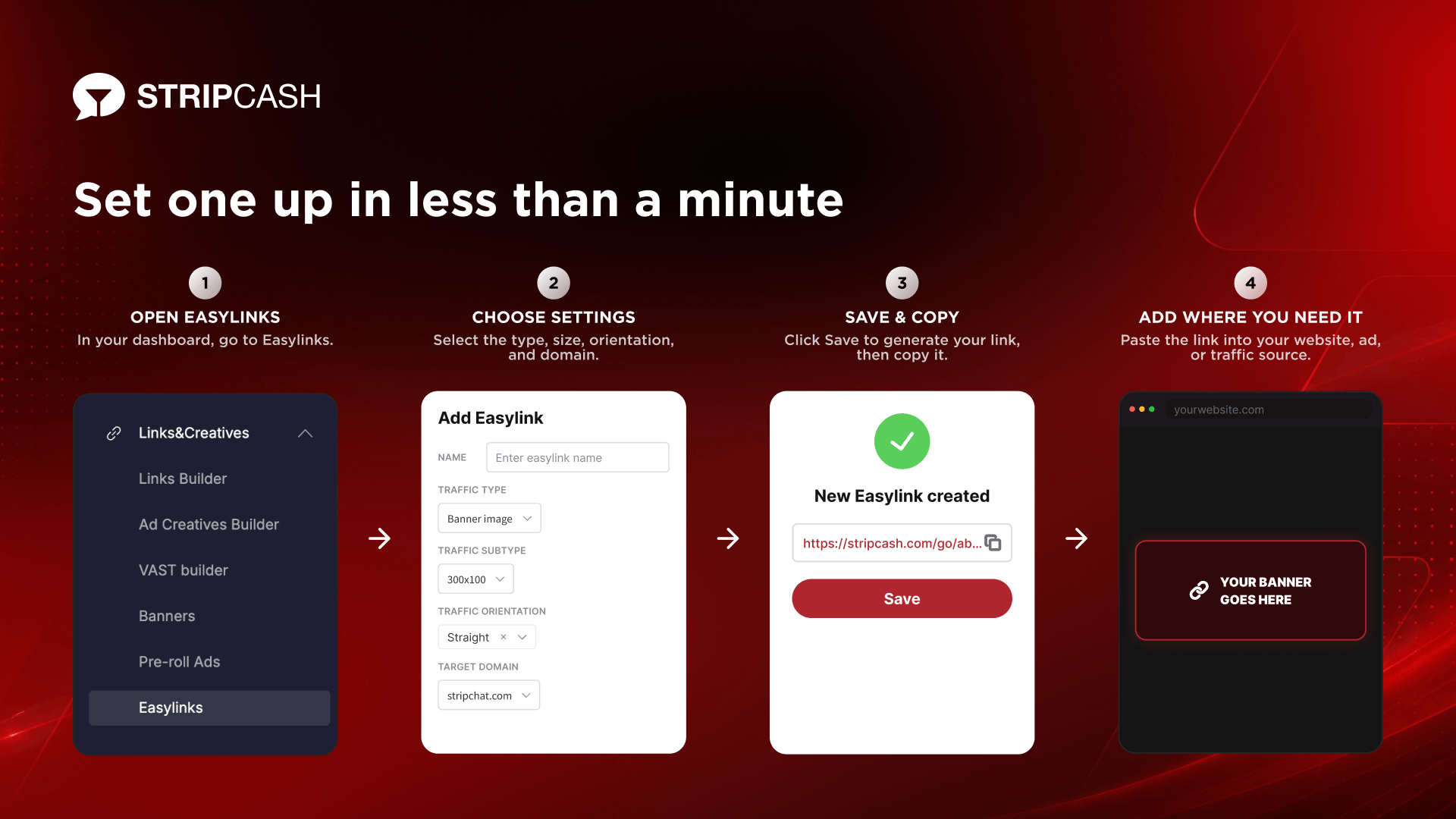
Open Easy Links in your dashboard- Click Add Easylink.
- Name — call it anything that helps you find it later.
- Traffic type — choose Banner iframe/js.
- Traffic subtype — pick your size: 300×100 for Circle, 300×250 for Square (other popular sizes are there too).
- Traffic orientation — Straight, Gay or Transsexual.
- Target domain — Stripchat or your own whitelabel.
- Save, copy the link, and drop it into your spot.
That's it — the link is live and already serving the current best creative. If you're not sure which setup fits your placement, your manager will walk you through it or write to our tech support at [email protected].
The Stripcash team